
For
Owners/admins responsible for the affected lock.
Before you start
Use another working way to enter while this code is being fixed.
Steps
Refresh this door’s codes
The list checks automatically. Choose Refresh codes below the list to check now. Changes from the lock’s app appear once the lock service reports them; that can take time.
If the old and new numbers both appear
They can be two separate codes. A request to keep the old number on the door can continue after you change another entry in the lock’s app. Confirm the replacement appears in the latest remote code list with the intended access dates first. If you no longer want the old number, choose Delete beside that exact number in STRide Locks, review it, and confirm. We check removal automatically. Do not delete a personal Owner profile.
Check the door and code
Open this door in the lock maker’s app. Check the number and any start or end date. If it belongs to your August/Yale Owner profile, open Access, your profile, then Entry Code.
If Entry Code is Off
If the correct number is there, choose Manage Entry Code and Save once, then refresh this door’s codes to review the reported result.
If it says On or Active, but still fails
Contact STRide Locks support. If you already tried Save and it still fails, you do not need to try again. Tell us the door name, what the app shows, and when you last tried the keypad. We will investigate with the lock service.
Share the support reference
Choose Copy support reference beside the code, if shown, and include it when contacting us. It helps us find the failed change. It does not contain your access code.
Example screen
Example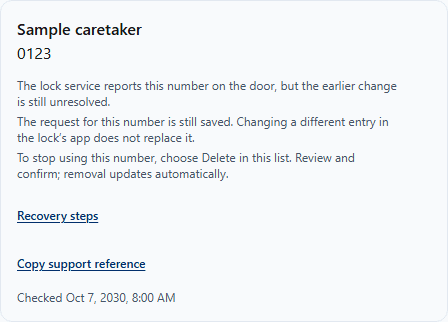
Phone example
Example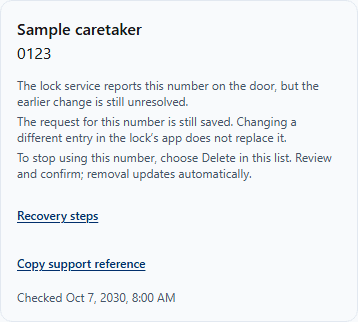
What to expect
Review the updated lock-service status. If a guest reports an entry problem despite a positive result, use Code not working?.
If something does not look right
Keep the existing code while we investigate. Repeatedly adding, taking over or restoring it can leave more changes waiting. Do not delete the owner profile or reset the lock. Support can help without asking you to guess which entry to remove.
Contact support