
For
Owners/admins responsible for an August/Yale personal entry code.
Before you start
In the August/Yale app, check that the code is under your Owner profile for this door.
Steps
Open your entry code
Open the door in the August/Yale app. Choose Access, your Owner profile, then Entry Code.
If it is Off
If the correct number is shown, choose Manage Entry Code and Save once. Keep your access level set to Owner.
Check the remote result
Refresh this door’s codes in STRide Locks and review the reported status. You do not need to visit the property for a routine check. If someone reports an entry failure despite an Active status, contact support.
If it still does not work
Contact STRide Locks support, even if August/Yale says Active. If you already tried Save, you do not need to repeat it. Tell us the door name and when you tried the code. Include Copy support reference from STRide Locks if available.
Example screen
Example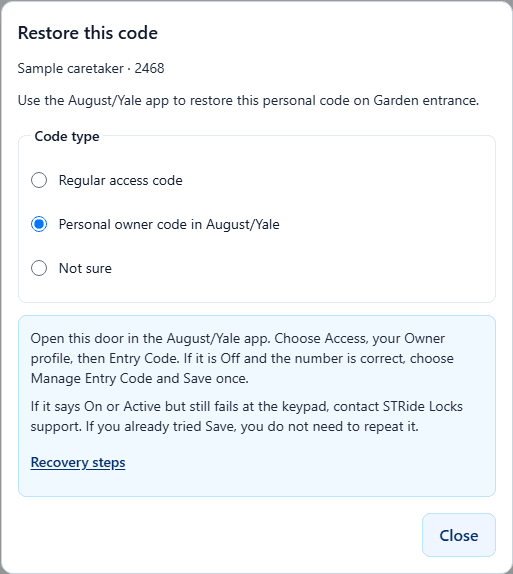
Additional example screen
Example
What to expect
STRide Locks checks the result remotely and updates the reported status automatically. If a guest still cannot enter, use Emergency access.
If something does not look right
If the number is missing or different, contact support before changing it. Keep your Owner profile and other people’s codes. We can investigate with the lock service; you do not need to work out which saved entry is wrong.
Contact support