
For
Anyone with access to the selected door’s codes.
Before you start
Select a door in Operations.
Steps
Let the list load
The first check may briefly show Loading access codes. The list appears when the check finishes.
Keep using the list
If a later update is delayed, the last confirmed names, numbers and statuses stay visible with the usual controls. Updates are delayed appears below the list while checks continue automatically. Edit and Delete still check the current code before making a change.
Refresh when needed
Choose Refresh codes below the list for an immediate check. The list also updates automatically while visible and when you return to the app.
Example screen
Example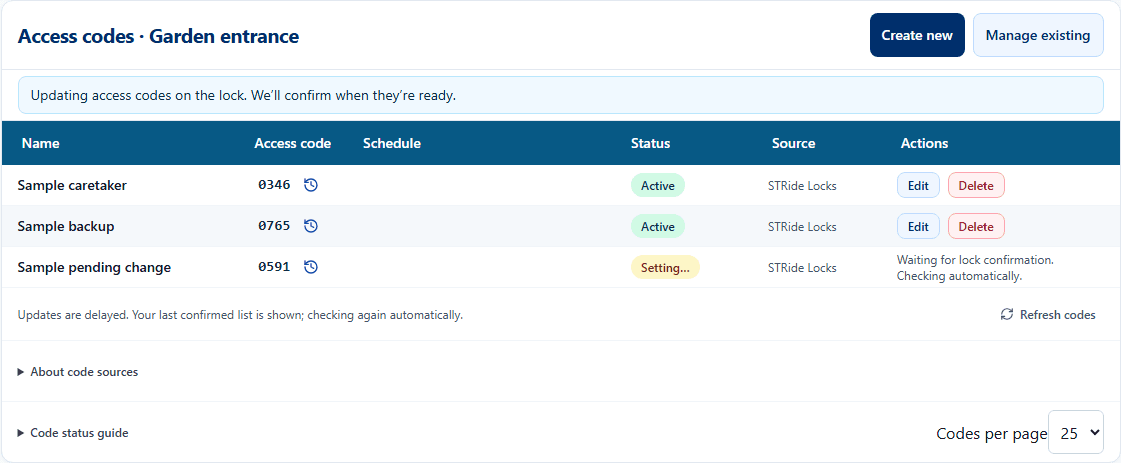
Phone list
Example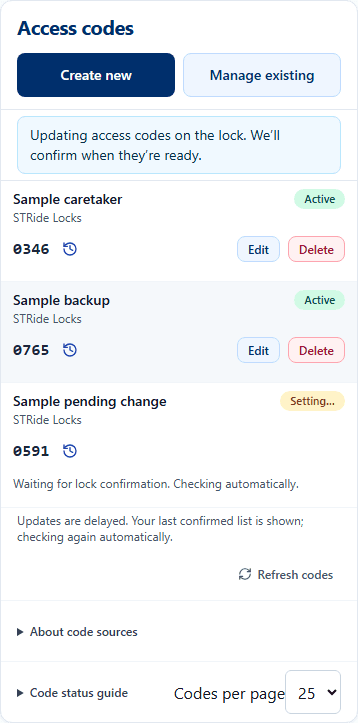
What to expect
New information replaces the list after a successful check. Refreshing never repeats an edit or deletion.
If something does not look right
A delayed update does not mean every code has stopped working. A code with a failed or unfinished change keeps its own status and progress. Active reflects the latest lock-service confirmation.
Contact support