
For
Workspace owners and admins.
Before you start
Open Code not working? on Operations. You can report the door even if its codes cannot be loaded.
Steps
Find the affected code
Type any part of a guest, door, code name or PIN to filter the available doors. Search ignores capitalization and extra spaces; use * between fragments if helpful. Select the matching door. Search its codes by name or PIN and select the affected code. Choose Report this access problem.
Restore access
Copy an available backup, create a temporary code, or choose Repair this code when supported. Repair requires a review and may remove and reinstall the selected code. These options stay inside Operations.
Mark resolved
When the guest has regained access, select Access is working again and choose Mark resolved. A healthy service check alone does not close your report.
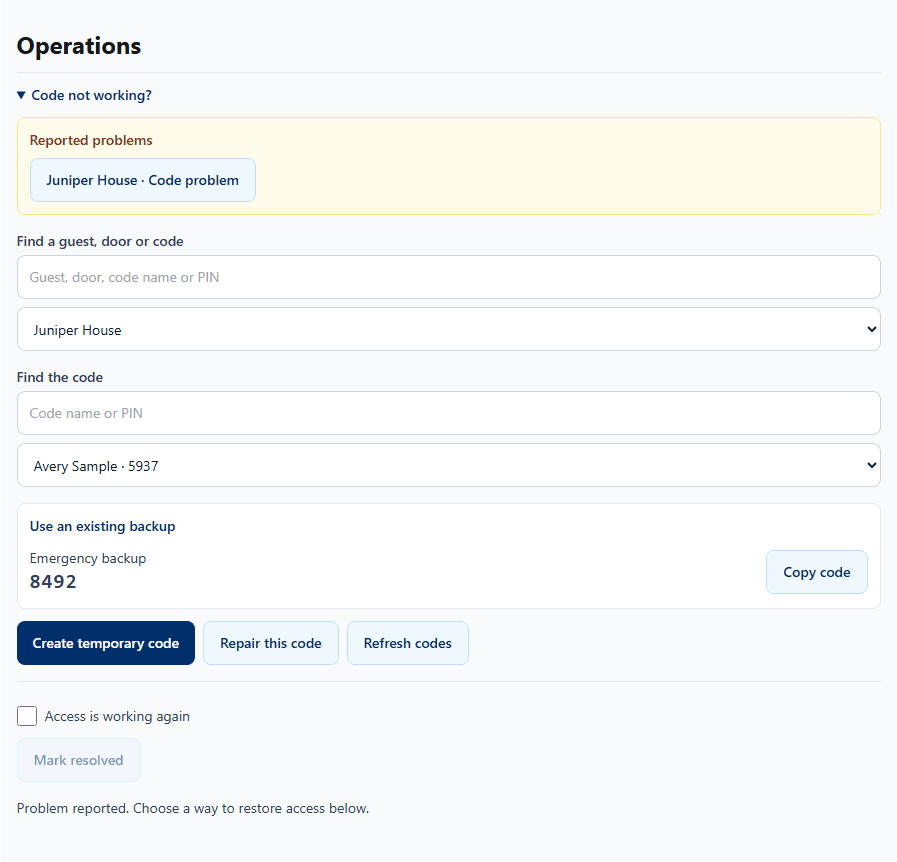
Additional example screen
Example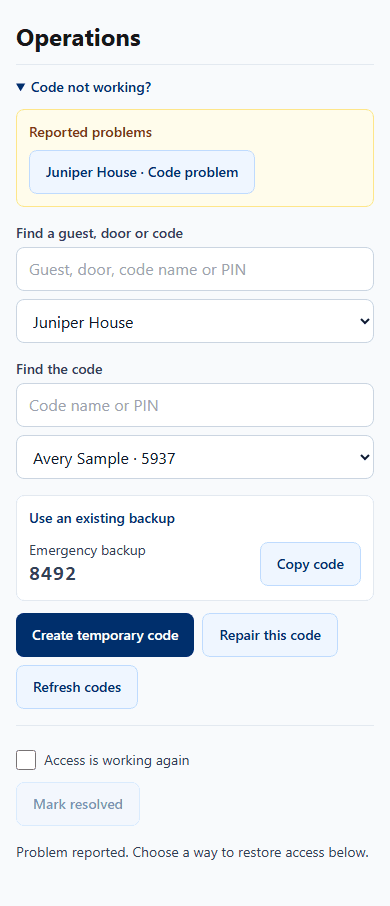
What to expect
Reported access problems remain visible across reloads until explicitly resolved.
If something does not look right
If an outside-managed code cannot be repaired here, use its managing app or a separate temporary code. If the door is offline and no backup is usable, arrange a physical key or local assistance.
Contact support