
For
Owners, admins and team members with lock and code access.
Before you start
Open Operations. The counts and list include only locks visible to your account.
Steps
Choose Offline
Select anywhere in the Offline box at the top of Operations, or focus it and press Enter. The lock list immediately shows all locks currently reported offline. This clears an earlier lock search or property-group filter.
Review the affected locks
The list shows Locks offline and the matching count. On phones, results open even when the full list was collapsed. Select a lock to view its access codes. A previously selected lock stays separate if it is not in the results; its code details stay open.
Recheck after replacing batteries
Select an offline lock to check its connection automatically. Recheck connection also checks a selected door on demand. Only that door is checked, and results are reused for one minute. Switching apps does not start another check.
Return to the full list
Choose Show all locks beside the filter count. On a phone with a selected lock, choose Show full lock list to browse the others.
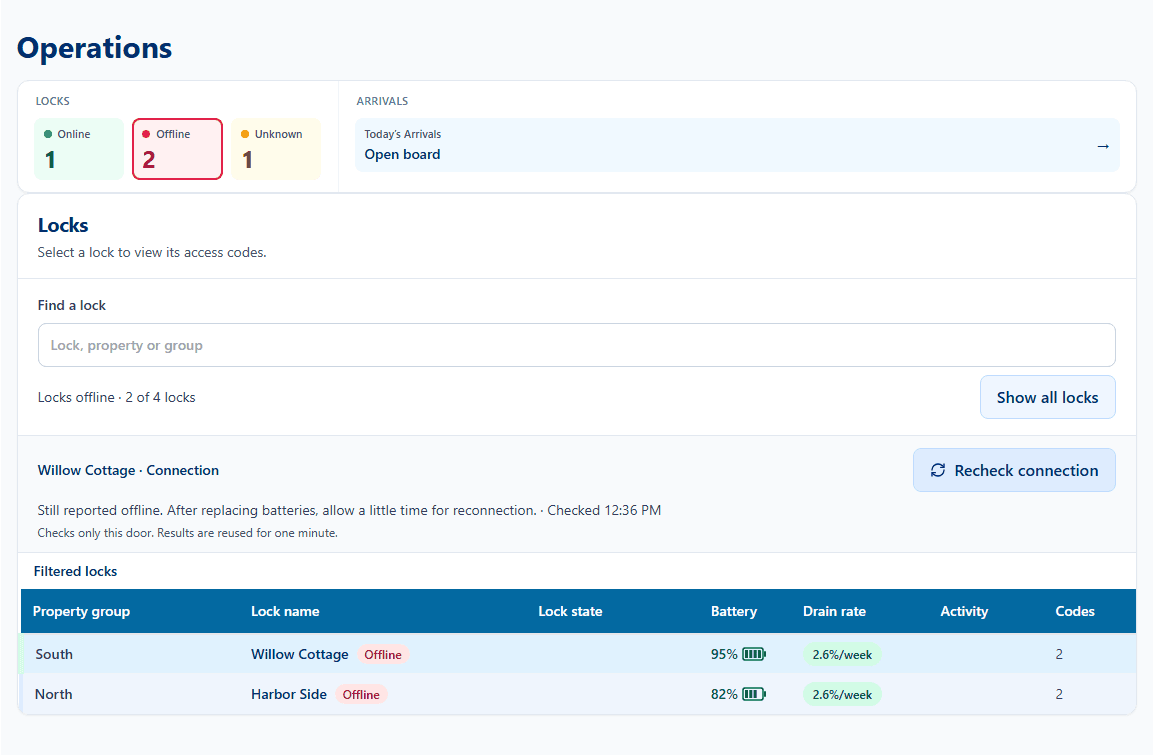
Offline locks on a phone
Example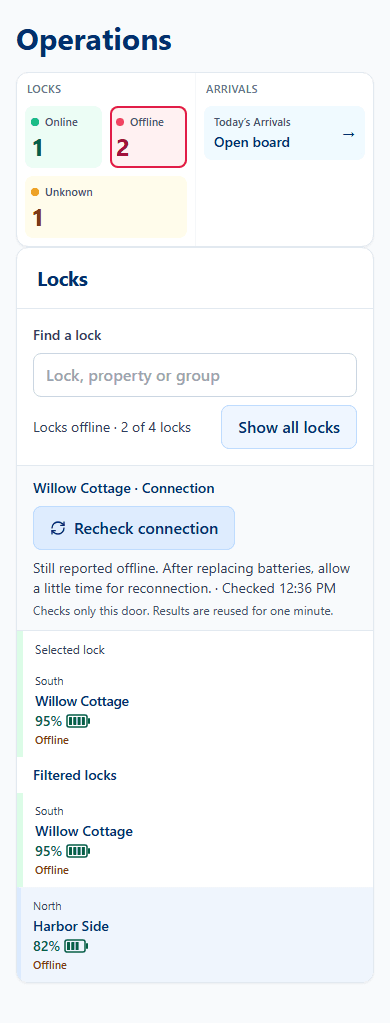
What to expect
You can find the locks needing a connection check without leaving Operations. Filtering changes the view only.
If something does not look right
The lock service may need time to notice a battery replacement or restored Wi-Fi. If it still reports offline, allow a little time and choose Recheck connection again. A failed check preserves the last known status. This reads the service’s reported status; it does not directly ping the door or prove a code works. Offline is the latest reported connection status. If live status is unavailable, Operations says it is showing the latest saved status. Unknown connection status stays separate. When a lock comes back online, it leaves the offline results; Show all locks remains available if no results remain.
Contact support