
For
Workspace owners and admins.
Before you start
Open Operations and select the door.
Steps
Open Door changes
Find Door changes below the access-code list, beside Refresh codes.
Review recent activity
The list includes recorded name saves, code requests and reports from the lock service. A removed entry can still appear here. Earlier actions and changes in another app may be missing.
Return to the list
Close the window to see the door’s current codes. Opening history never adds, removes or repairs a code.
Example screen
Example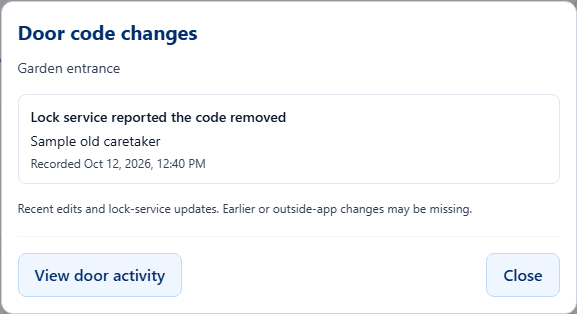
Additional example screen
Example
What to expect
Recent activity remains reviewable after an entry disappears.
If something does not look right
If history cannot load, close and reopen the window. View door activity opens the broader door reports. For current access, review the code list.
Contact support