
For
Workspace owners and administrators switching an existing property.
Before you start
Keep your current lock manager connected. In Guided setup, existing Uplisting workspaces use the accounts and property mappings already present. For a new connection, first connect and import the selected accounts and review the mappings.
Steps
Choose your first property
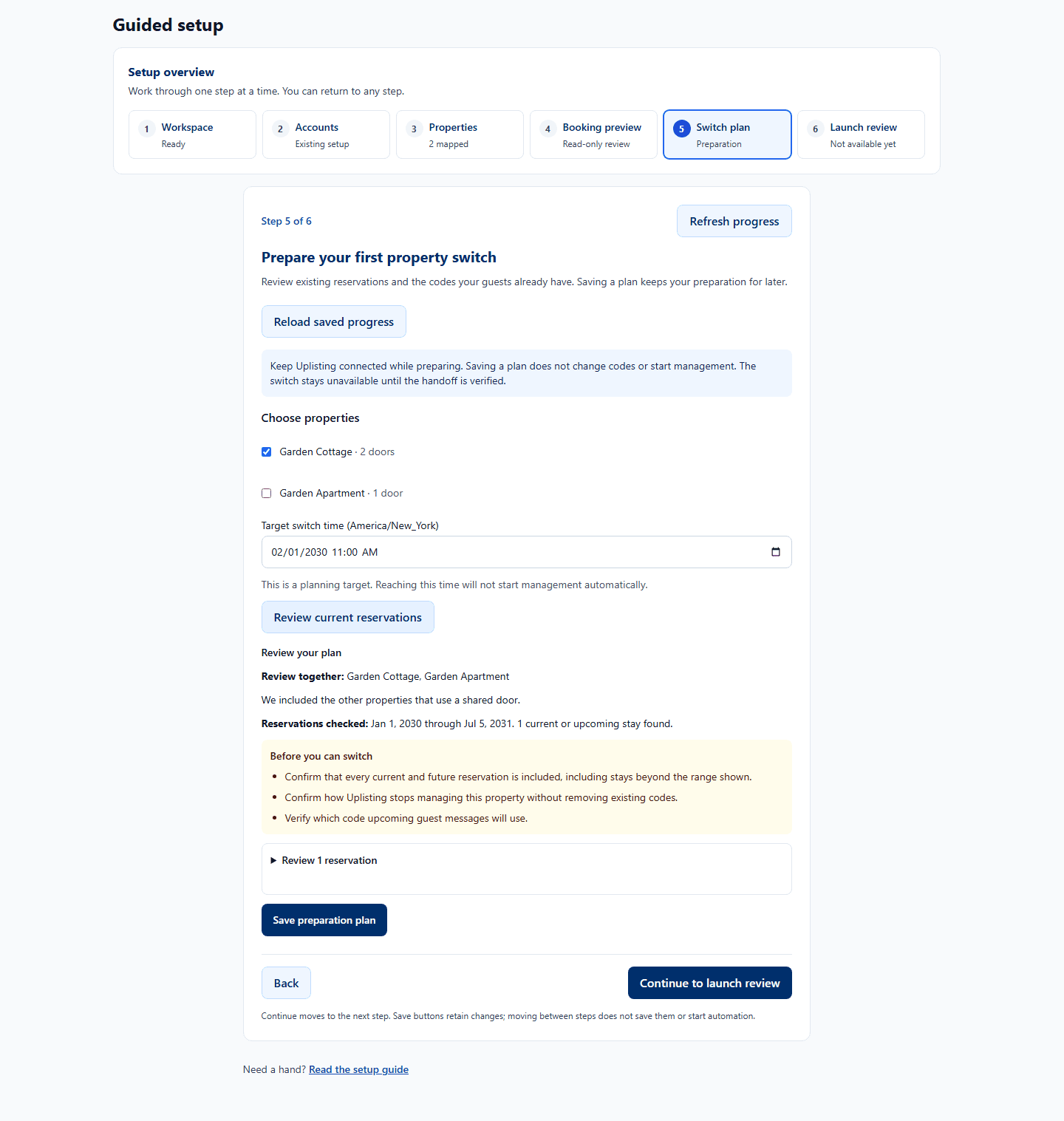
In Guided setup, choose step 5, Switch plan. Choose a property and a target switch time in the time zone shown. Properties sharing a door are automatically reviewed together. New customer connections show the transition review available for their selected accounts.
Review existing reservations
Preserve every assigned guest code, including codes sent before they reach the lock. An absent lock code does not prove a guest has not received it. Permanent and staff codes stay unchanged. Unknown commitments require review.
Check the previous manager and messages
Confirm how to stop the previous manager, preserve existing codes and stop pending updates. Verify the code that scheduled guest messages will use. For Uplisting, a property selector is not evidence that unmapping safely completes these steps. Do not remove the entire lock account to test one property.
Save and resume
Select Save preparation plan to retain the review and outstanding checks. You can close the page and return to Saved plans. Resume review checks current reservations again; Pause preparation keeps existing access unchanged. Reaching your target time does not start management automatically.
More details
Check the reservation range
The personal Uplisting review shows the exact date range it checked. It does not certify reservations beyond that range. Complete future coverage, safe handoff and guest-message checks must be verified before switching.
Locks without properties
STRide Locks counts unique physical locks selected for import, including locks kept for staff access or monitoring without a property mapping. Shared doors count once. Removing a property mapping is different from disconnecting a lock; review Plan and billing for your current quantity.
Additional example screen
Example
What to expect
A saved review with a requested switch time. Actual management has not started; live handoff and activation remain separate and unavailable in this release.
If something does not look right
If a check is unavailable, keep the existing manager in place. If the result of saving is unclear, reload progress before another action. Never assume a missed target time means the switch occurred.
Contact support